Every access control system comes down to one question at each door: how does someone prove they are allowed through?
There are four common answers, and most comparisons rank them from worst to best as though security were the only variable. It is not. The right choice at your front entrance is often the wrong one at your server room, and the option that looks most secure on paper carries a legal obligation in Australia that catches employers out.
Quick answer (callout box)
- Keypad: cheapest, no credentials to lose, and no way to know who actually entered. Fine for low-risk doors
- Card or fob: the workplace default. Easy to issue and revoke, but older card types clone in seconds with a cheap device
- Biometric: nothing to lose or lend, but in Australia collecting fingerprints from staff means consent that has to be genuinely voluntary
- Phone credential: convenient and hard to lend, depends on handsets and your network
- Most businesses end up mixing them, chosen door by door rather than site-wide
The Four Options Side by Side
| Keypad (PIN) | Card or fob | Biometric | Phone credential | |
|---|---|---|---|---|
| Hardware cost per door | Lowest | Low to medium | Highest | Medium |
| Ongoing cost | None | Replacing lost cards | Low | Licence fees on some systems |
| Tells you who entered | No, codes get shared | Yes, unless the card is lent | Yes | Yes |
| Can be lent or shared | Easily | Easily | No | Harder |
| Can be copied | Code can be watched | Older types, yes, in seconds | No | No |
| Revoke access in seconds | Only by changing the code for everyone | Yes | Yes | Yes |
| Works with wet or dirty hands | Yes | Yes | Often poorly | Yes |
| Privacy obligations | None | Minimal | Significant, see below | Minimal |
Keypads: Cheap, and Honest About What They Are
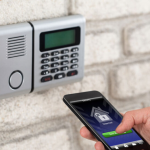
A keypad is a PIN on a wall. No credential to issue, lose, or replace, and the cheapest option to install and to run.
The weakness is not technical. It is that codes get shared, watched over a shoulder, and written on the back of something near the door. When a staff member leaves, you have to change the code for everyone, which in practice means it does not get changed.
A keypad also cannot tell you who came through. If you ever need to know who opened a door at 11pm, a keypad will not answer that.
Good fit for: a storeroom, a gate, a back office, a low-risk door where convenience matters more than knowing who entered. Poor fit for: anywhere you need an audit trail, or where staff turnover is high.
Cards and Fobs: The Default, With One Thing Worth Checking
Cards and fobs are the workplace standard because the administration works. Each person has their own credentials; you can see who came through and when, and you can cancel one in seconds when someone leaves.
The weakness everyone knows about is that credentials get lent and left at home. The weakness most buyers have never heard of is cloning.
The card technology matters more than the card. Older 125 kHz proximity cards, which are still extremely common in Australian buildings, are mostly unencrypted. They broadcast their number to anything that asks. A security industry test found that a copier costing around $30 reliably cloned more than fifteen credentials across common 125 kHz formats, in under five seconds each, with the copy indistinguishable from the original. The card needs to be within about an inch, which sounds reassuring until you picture a crowded lift.
Newer 13.56 MHz smart cards are a different proposition. Their data is encrypted, and the same tool cannot copy them.
So the useful question is not “should we use cards” but “which card technology are we on”. If your building has been running the same credentials for a decade, there is a reasonable chance they are the older kind. An installer can tell you in about a minute.
Two habits matter more than the technology. Cancel credentials the day someone leaves, and audit your user list every few months. Most access control failures we see are not technical. They are a list nobody has reviewed since installation. If readers themselves are playing up, reader faults and servicing cover the common causes.
Biometric: Strongest Credential, Real Legal Obligation
A fingerprint or face cannot be lent, lost or left at home. For a door that genuinely requires certainty about who walked through, nothing else is as strong.
In Australia, that strength comes with an obligation most businesses do not expect, and it is worth understanding before you buy rather than after.
Biometric information is treated as sensitive information under the Privacy Act, which is a higher category than an ordinary staff record. The consequence showed up in a 2019 Fair Work Commission Full Bench decision, Lee v Superior Wood Pty Ltd. An employer required staff to clock on with fingerprint scanners. One employee refused on privacy grounds and was dismissed. On appeal, the Full Bench found the dismissal unfair.
Two findings matter for anyone considering biometrics at work. First, consent to collect sensitive information has to be genuinely voluntary, and the Bench put it plainly: a right to consent implies a right to refuse. Consent given under threat of dismissal is not consent. Second, the employee records exemption in the Privacy Act covers how records are handled after collection, not the act of collecting them, so the Australian Privacy Principles apply at the point of collection. The Bench also found that administrative convenience was not enough to make the collection reasonably necessary.
In practical terms, if you are putting biometrics on a staff door:
- Ask for consent properly, in writing, explaining what is collected, why, where it is stored and how long it is kept
- Offer a genuine alternative credential for anyone who declines, which is the simplest way to keep consent voluntary
- Be able to say why biometrics are reasonably necessary for that door, beyond convenience
- Check how the system stores the data. Many modern readers store a mathematical template rather than an image of the fingerprint, which is worth knowing and worth telling staff.
None of this makes biometrics a bad choice. It makes them a considered one. For a high-value door with a small number of users who understand why, they are excellent. For clocking the whole workforce on and off, the case above is exactly what goes wrong.
This is general information rather than legal advice, and the Privacy Act does not apply to every small business. Worth a conversation with your own adviser before you roll it out.
Phone Credentials: Worth Knowing About
Not in most comparison articles yet, but increasingly what people actually want. The credential lives in an app on the phone, and the door opens on tap or on approach.
It is convenient, hard to lend because people do not hand over their phone, and easy to issue to a contractor remotely. The trade-offs are that it depends on staff handsets and on the system being reachable, and some platforms charge per user per year. Worth asking about if you are specifying a new system rather than extending an old one.
What Most Businesses Actually End Up With
Almost nobody uses one method everywhere, and the sites that work best do not try to.
A common pattern: cards or fobs for the main staff entrance, where you want an audit trail and easy revocation. A keypad on an internal store or a gate, where convenience wins, and the risk is low. Biometrics on the one or two doors that genuinely justify it, such as a cash room or a records store. And a phone credential for managers or contractors who need occasional out-of-hours access.
The decision is made door by door, and that is the conversation to have at the access control installation site visit rather than before it.
The Questions That Actually Decide It
- Do you need to know who came through this door? If yes, rule out keypads
- How often do people join and leave? High turnover makes shared codes unworkable and makes instant revocation valuable
- What is behind the door? Stock, cash, records and client data justify more than a storeroom does
- Who uses it, and in what state? Wet, gloved or dirty hands make fingerprint readers frustrating
- If staff are involved, are you prepared to run a consent process? For biometrics in a workplace, this is not optional
Upgrading an Existing System
If you already have access control, you usually do not need to replace it to change credential type. Readers and controllers are separate parts, and on many systems you can change readers while keeping the controller, the cabling and the door hardware.
The exception is when the controller is too old to support newer readers, which is the point where it becomes a question of whether to repair or replace rather than a credential decision.
What It Costs
Typical Sydney ranges in 2026, including GST, per door and assuming the door is already prepared.
| Reader type | Typical range per door | Notes |
|---|---|---|
| Keypad | $250 to $500 | Lowest cost, no credentials to issue |
| Card or fob reader | $350 to $700 | Plus credentials, usually $5 to $15 each |
| Smart card reader, 13.56 MHz | $450 to $900 | Encrypted credentialresistant tosts cloning |
| Biometric reader | $700 to $1,800 | Varies widely by type and user capacity |
| Phone credential-capable reader | $500 to $1,000 | Some platforms add a yearly per-user fee |
These cover the reader itself. A full door also needs a controller, a lock and power, and a first door costs considerably more than the tenth because the controller is shared.
Frequently Asked Questions
Can access cards be copied? Older 125 kHz proximity cards, yes. A published industry test cloned more than fifteen common credentials with a copier costing about $30, in under five seconds each. Newer 13.56 MHz smart cards are encrypted and resist that tool.
Is biometric access control legal in Australia? Yes, with obligations. Biometric data is sensitive information under the Privacy Act, and where staff are involved, consent must be genuinely voluntary, which means offering a real alternative for anyone who declines.
Can we use different methods on different doors? Yes, and most businesses should. One controller commonly runs a mix of keypads, card readers and biometric readers across a site.
What happens when someone leaves? With cards, fobs, biometrics or phone credentials, access is cancelled in seconds, and the audit trail stays. With a keypad, you have to change the code for everyone, which is why keypads suit low-risk doors.
Do fingerprint readers work in a workshop or kitchen? Often poorly. Wet, dirty, gloved or worn fingers all cause failed reads. For those environments,s a card, fob,b or phone credential is usually the better call.
Closing CTA, charcoal block
Not sure which belongs on which door? We walk the site, tell you what each door actually needs and flag any credentials that are easy to clone. Access control installation and upgrades across Sydney, under NSW Master Licence 000105739.
Buttons: 1300 029 999 and Get a Quote.