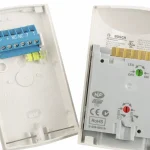
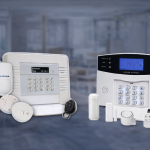
Most commercial security systems are not maintained. They are repaired when something breaks, which is different and more expensive.
The gap matters more in a business than in a home, because a commercial site has obligations a house does not. Footage that was never recorded is a problem when you need it for an insurance claim. A door that fails unsafely is a problem the day someone has to get out. And in NSW, camera surveillance of employees carries legal requirements, so a maintenance round is a sensible time to check.
This is the schedule we use. It is written so a facility or office manager can run most of it without a technician.
Quick answer box
- Monthly, in-house, about 20 minutes: confirm every camera is recording, test one alarm zone, check that doors lock and unlock on schedule
- Quarterly, in-house, about an hour: clean camera lenses, audit user and access lists, verify retention, walk the site.
- Annually, licensed technician: full test of every device, battery load testing, monitoring path test, firmware, written report
- Compliance items most schedules miss: surveillance signage and notice, footage retention and access, and safe egress on access-controlled doors
Why a business schedule is different
A home system has one job: tell someone when something happens. A commercial system is also a record-keeping system and part of your building’s safety fabric.
Three things follow from that. You need footage that exists and is retrievable when something goes wrong. You need access records that reflect who actually works there now. And you need doors that release safely regardless of what the access system is doing.
None of those fails loudly. A camera that stopped recording three months ago looks exactly like a camera that is recording. That is the entire argument for a schedule rather than waiting for symptoms, and it is why commercial security system maintenance is a calendar task rather than a reactive one. The same logic applies across commercial security systems of every size.
The schedule at a glance
Task | Monthly | Quarterly | Annually | Who |
|---|---|---|---|---|
Confirm all cameras are recording | Yes | In-house | ||
Test one alarm zone on rotation | Yes | In-house | ||
Check scheduled door lock and unlock | Yes | In-house | ||
Review monitoring contact list | Yes | In-house | ||
Clean camera lenses and housings | Yes | In-house | ||
Audit users, cards and codes | Yes | In-house | ||
Verify recording retention period | Yes | In-house | ||
Check surveillance signage | Yes | In-house | ||
Full device test, every zone and camera | Yes | Technician | ||
Battery load test, panel and devices | Yes | Technician | ||
Monitoring path and response test | Yes | Technician | ||
Firmware and software updates | Yes | Technician | ||
Egress and safe-release testing | Yes | Technician | ||
Written service report | Yes | Technician |
Monthly: twenty minutes, no technician
Confirm every camera is recording. Not that the live view works. Open yesterday’s footage from each camera and confirm it is there. A camera can show a perfect live picture while recording nothing, and this is the most common failure we find on commercial sites.
Test one alarm zone. Rotate through your zones so each one is tested a few times a year. If the system is monitored, call the centre first and ask to be put on test, then call again when you are done. Our page on back-to-base monitoring explains how the response plan works.
Check scheduled locking and unlocking. If doors are set to unlock at opening and lock at close, confirm that actually happened this week. Schedules drift after public holidays, daylight saving, and power events.
Log each check with a date and initials. Thirty seconds of record-keeping is what turns this from a habit into evidence.
Quarterly: an hour, still no technician
Clean the camera lenses and housings. Dust, cobwebs,s and spider webs across a lens degrade night footage badly and trigger motion events all night. A dry microfibre cloth is enough.
Audit users, cards and codes. This is the item most worth doing and least often done. Remove staff who have left, contractors whose work finished, and any shared code that everyone knows. An access system is only as good as the list behind it. If readers are playing up, access control faults cover the common causes.
Verify the retention period. Check how far back your footage actually goes and compare it to what you think you have. Retention shortens quietly as cameras are added or resolution is increased.
Review the monitoring contact list. Names, numbers, and order of call. Out-of-date contacts are the most common reason a real activation goes unanswered.
Walk the site. Look at what each camera sees now, not what it saw at installation. New shelving, a new sign, a grown tree, a relocated bin. Coverage drifts as the site changes.
Annually: the licensed technician visits
This is the part that cannot be done in-house, and it is also the part that satisfies a maintenance agreement.
A proper annual service covers every device tested individually rather than sampled, load testing of the panel battery and any device batteries, a monitoring path test confirming signals arrive and are acted on, firmware and software updates on recorders and controllers, egress and safe-release testing on access-controlled doors, and a written report listing what was tested, what passed, and what needs attention.
That written report is the deliverable. A visit without one leaves you no better evidenced than before.
For alarms specifically, how often an alarm should be serviced goes into more detail. If the annual report keeps finding the same faults, that is usually the point to think about repair or replace rather than another service.
The compliance items most checklists miss
These three are specific to running a business in NSW, and they are easy to fold into a quarterly round.
Surveillance notice and signage. Under the NSW Workplace Surveillance Act 2005, camera surveillance of employees requires at least 14 days’ written notice before it starts, and before a new employee begins work. The notice must say what kind of surveillance it is, how it will be carried out, when it starts, whether it is continuous or intermittent, and whether it runs for a set period or ongoing. For camera surveillance, the Act also requires that cameras or their casings are clearly visible in the place being watched, and that signs are clearly visible at each entrance to that place.
A quarterly walk is the natural time to check the signs are still up and still readable, and that no camera has been concealed or moved behind something.
Footage handling. If your business has an annual turnover above $3 million, you are generally covered by the Privacy Act, and CCTV footage of identifiable people is personal information. Even below that threshold, knowing who can access footage, how long it is kept,t and how requests are handled is worth writing down once.
Safe egress. Any door with an electronic lock needs to release safely in an emergency, and that needs testing rather than assuming. Put it on the annual technician visit and make sure it appears in the written report.
A note on scope. Fire detection and emergency lighting are separate systems with their own maintenance regime and their own contractor. This checklist does not cover them, and your security maintenance agreement almost certainly does not either.
What a maintenance agreement should include
If you are signing one, these are the terms worth checking before you do:
- Scope by system. Which systems are covered, and which are explicitly not
- Visit frequency and what each visit includes. “Annual service” with no task list is not a commitment
- Response time for faults, and whether it differs for a total outage against a single device
- What is included and what is billed. Labour, call-outs, parts, batteries, after-hours
- A written report after every visit
- Licence details. In NSW, installing and servicing security systems for a fee requires a security licence.
Australian Standard AS 2201.1, which covers intruder alarm systems installed in client premises, includes a maintenance section dealing with routine maintenance, emergency maintenance and records, and sets minimum requirements for the maintenance agreement between an alarm company and its client. Worth knowing the standard exists when you compare agreements.
Our security system maintenance and repairs page covers what we include.
What commercial maintenance costs
Typical Sydney ranges in 2026, including GST. Site size and system count drive the figure.
Service | Typical range | Notes |
|---|---|---|
Annual service visit, small site | $350 to $650 | One or two systems, up to about 8 devices |
Annual service visit, medium site | $650 to $1,400 | Multiple systems, up to about 24 devices |
Maintenance agreement, small site | $80 to $200 per month | Scheduled visits plus priority response |
Maintenance agreement, medium site | $200 to $500 per month | Varies with systems covered and response time |
Ad-hoc fault call-out, no agreement | $150 to $250 plus parts | Before any work is carried out |
The comparison that matters is not the agreement against nothing. It is the agreement against what three unscheduled call-outs and one stretch of missing footage cost you in a year.
Frequently asked questions
How often should a commercial security system be serviced? An annual technician service is the baseline for most sites, with monthly and quarterly in-house checks between visits. High-traffic or high-risk sites often move to six-monthly. Your insurer or your maintenance agreement may set a minimum.
Can our own staff do any of this? Yes, and they should. Everything in the monthly and quarterly lists above is designed for someone with no security training. The annual service needs a licensed technician.
What happens if we never service the system? Usually nothing visible, until you need footage that was not recorded, or an alarm does not report. The failures in commercial systems are silent, which is exactly why a schedule exists.
Does a maintenance agreement cover repairs? Sometimes. Many cover labour and scheduled visits but bill parts separately. Ask for the inclusions and exclusions in writing before you sign.
Do we need to tell staff about the cameras? In NSW, yes. The Workplace Surveillance Act 2005 requires at least 14 days’ written notice before camera surveillance of employees begins, and signage clearly visible at each entrance to the place being watched.
Closing CTA, charcoal block
Put your site on a schedule. We service CCTV, alarms, access control and intercom across Sydney, test every device rather than sampling, and give you a written report after every visit. Licensed under NSW Master Licence 000105739.
Buttons: 1300 029 999 and Book a Service.